
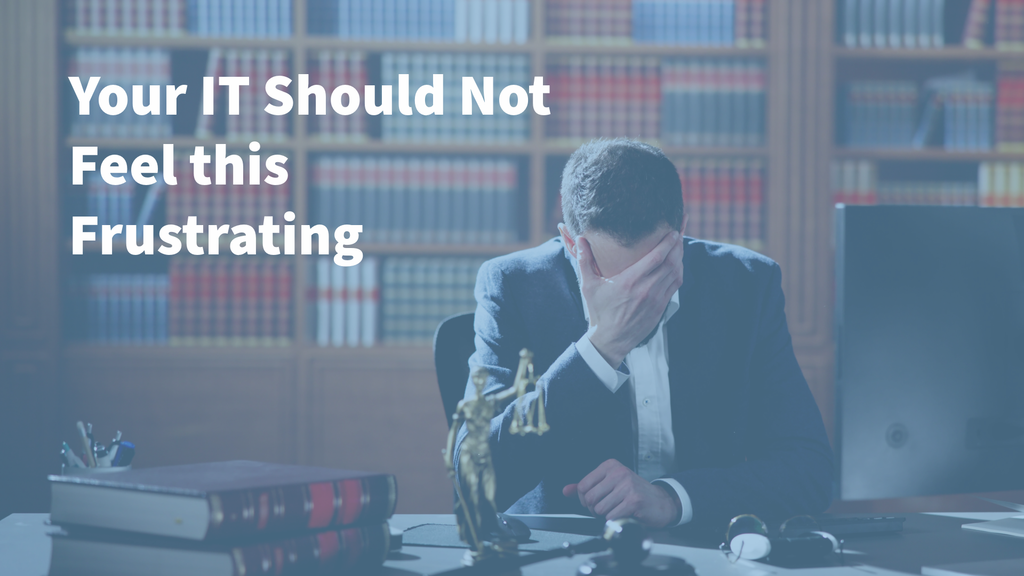
Your Law Firm IT Problems Should Not Feel This Frustrating.
The document will not print five minutes before a meeting.
An attorney cannot securely access a case file from outside the office.
Your legal software stops working, but your IT provider tells you to contact the software company. The software company sends you back to IT.
An employee calls for help and spends hours waiting for a response while work continues to pile up.
Then, after the problem is finally “fixed,” it happens again.
If situations like these are common at your law firm, frustration is understandable. Your attorneys and staff have important work to complete, deadlines to meet, and clients depending on them. Technology should support that work, not repeatedly interrupt it.
These problems may feel normal because your firm has dealt with them for so long. But they are not something you should simply have to accept.
7 Signs Your Law Firm’s IT Problems Need to Be Addressed
1. You wait too long for help
When someone at your firm cannot access a file, connect to a system, use a phone, or complete another basic task, every minute matters.
Slow IT support does more than create an inconvenience. It interrupts billable work, delays communication with clients, and places more pressure on attorneys and support staff who are already working against deadlines.
It is especially frustrating when:
- No one answers the phone
- Requests disappear into a ticketing system
- Employees have to explain the same problem to several people
- An issue is closed before anyone confirms it is resolved
- Minor problems take hours or days to address
Your employees should not have to chase down their IT provider to get help.
2. The same problems keep coming back
A printer stops working. Someone reconnects it. Three days later, it stops again.
The network slows down. It improves temporarily, but no one explains what happened.
An employee keeps getting locked out of an application, while the underlying access or configuration issue remains unresolved.
Repeated problems are often a sign that someone is treating the symptom instead of identifying the cause. A quick fix may get an employee working again, but it does not necessarily correct the underlying weakness.
Good IT support should look for patterns, investigate recurring issues, and prevent as many disruptions as possible.
3. Technology problems are reducing billable productivity
For a law firm, downtime has a direct cost.
Attorneys cannot bill for time spent restarting computers, waiting for access, troubleshooting software, or calling multiple vendors. Support staff lose time working around unreliable systems. Firm leaders lose time managing problems that should never have reached their desks.
One small interruption may not appear significant. But recurring problems across several attorneys and employees can consume a surprising number of productive hours.
Your technology should help your firm operate efficiently. It should not be one of the biggest obstacles your employees face each week.
4. Your vendors keep passing responsibility back and forth
Law firms rely on specialized applications, document management platforms, billing software, internet providers, phone systems, printers, and other technologies.
When something stops working, the cause is not always obvious.
The software vendor may say it is a network issue. The internet company may say the connection is working. The IT provider may tell your employee to contact the software company.
Meanwhile, your employee is stuck in the middle trying to translate technical information and determine who is responsible.
A strong IT partner should help coordinate with your other technology vendors. Your firm should not have to manage the troubleshooting process alone.
5. You do not know whether your backups and security actually work
Being told that your firm is “covered” is not the same as independently verifying it.
Firm leaders should be able to get clear answers to questions such as:
- Is multifactor authentication enforced everywhere it should be?
- Are computers, servers, and cloud platforms actively monitored?
- Can backups be fully restored?
- When was the last complete restoration test?
- Who still has access to confidential client information?
- How quickly is access removed when an employee leaves?
- What would happen during a cyberattack or major outage?
- Does the firm have a written and tested incident response plan?
Law firms hold confidential client information, financial records, case strategies, correspondence, and other sensitive data. Protecting that information is part of maintaining client trust and meeting professional responsibilities.
The American Bar Association recommends regular risk assessments and notes that an independent third-party audit can help firms identify security gaps before an incident occurs. The ABA also emphasizes that cybersecurity programs should reflect the size of the firm and the sensitivity of the information it holds.
You deserve more than a vague assurance that everything is fine.
You deserve more than a vague assurance that everything is fine.
6. Remote work and communication are unreliable
Attorneys need secure, dependable access whether they are in the office, at home, in court, or traveling.
If remote access frequently fails, calls do not route correctly, employees cannot find documents, or systems work differently depending on location, your firm is forced to operate around its technology.
These problems can also introduce security risks when employees create their own workarounds, such as:
- Sending documents to personal email accounts
- Saving files to personal devices
- Sharing passwords
- Using unauthorized file-sharing applications
- Accessing confidential information over unsecured connections
Reliable systems should make the secure way of working the easiest way of working.
7. Your firm is using AI without clear guidance
Artificial intelligence is already finding its way into legal research, document drafting, transcription, summaries, email, Microsoft applications, and other everyday tools.
Even if firm leadership has not formally adopted AI, individual employees may already be experimenting with it.
That creates several important questions:
- Which AI tools are approved?
- Can confidential client information be entered into them?
- Does the AI provider store or use the information submitted?
- Who checks AI-generated work for errors?
- How should attorneys verify citations, facts, and legal analysis?
- When should clients be informed about the use of AI?
- Are employees receiving training on safe and appropriate use?
Avoiding the subject does not reduce the risk. It may simply mean AI is being used without leadership’s knowledge or consistent safeguards.
The ABA’s Formal Opinion 512 addresses lawyers’ responsibilities involving competence, confidentiality, client communication, supervision, accuracy, and fees when using generative AI. It also reinforces that lawyers need to understand the capabilities and limitations of the technology they use. Read the ABA’s overview of Formal Opinion 512.
Your IT provider should help your firm evaluate tools, understand where information goes, establish appropriate security controls, and train employees to use AI safely. The goal is not to prohibit useful technology. It is to help your firm use it intentionally and responsibly.
These problems may have a cause you cannot see
When problems become familiar, it is easy to assume they are simply part of running a law firm.
They are not.
Recurring disruptions may be caused by aging equipment, poor system configuration, gaps in monitoring, inadequate security controls, unresolved software conflicts, weak vendor coordination, or an IT strategy that has not kept pace with the firm.
That does not automatically mean you must replace your current IT provider.
It does mean you should find out what is actually happening.
Cybersecurity Audit Services can help your firm identify what is going wrong
IntelliSystems Cybersecurity Audit Services provide an independent assessment of your firm’s technology and cybersecurity environment.
You do not have to switch IT providers to schedule one.
Our team examines your environment to help answer three important questions:
- What is causing the problems?
- What risks or weaknesses may be going unnoticed?
- What needs to happen next to correct them?
After the assessment, your firm receives clear findings that can be used to make informed decisions. You can take those findings to your existing provider, address the issues internally, or ask IntelliSystems to help.
For law firms, completing an independent technology and cybersecurity assessment at least once each year is a smart baseline. An additional assessment may also be appropriate after a major system change, office move, acquisition, security incident, rapid growth, or change in IT providers.
Think of it as an annual checkup for the systems that protect your clients and keep your firm operating.
What Should Dependable IT Feel Like?
Your employees should know whom to call.
They should receive a timely response from someone who can help.
Problems should be investigated, not repeatedly patched.
Your systems should be monitored and maintained proactively. Your vendors should be coordinated for you. Your security protections should be explained in language you understand.
Most importantly, your attorneys and staff should be able to focus on clients instead of worrying about technology.
Ready to make the switch?
Sometimes an assessment confirms what firm leaders already know. They are tired of waiting, tired of recurring problems, and ready for a different IT experience.
If your firm has reached that point, IntelliSystems can help make the transition organized, secure, and smooth. We will work to understand your environment, plan the transition carefully, and minimize disruption to your attorneys, employees, and clients.
Call 706-722-2024 or schedule a free consultation to learn what dependable IT support should feel like.
intelliSystems is an award-winning IT & Cybersecurity firm serving growing businesses for over 33 years in Greenville and Columbia in South Carolina and Augusta, Macon, and Savannah in Georgia.